
|
Twistout: Battle Game
Yet another crazy experiment from another j2nsm member.
Story The story behind this idea is nowhere near as bizarre as Overlord's, so there is no tale to tell. Except maybe the name: Twistout. Which is just the short from of "Blackout With a Twist". The idea I'm guessing you're already getting the idea behind all this. I thought the idea of playig Battle1 in black was already interesting to try out, but the lack of eyecandy can be boring eventually. So I made my own "blackout" version, but replaced layer 4 with messed up settings (albeit the same tiles), and applied it to B1 (and later B2/B3). Basically what happens is if you move left, the layer moves right, and vice-versa. The levels I tested this concept on are basically unedited versions of B1, B2 and B3 with the exception that layer 4 is messed up. Hence its name - Twistout. This way you still cannot see the level and you have to rely on your own knowledge of the level layout and whatever visible events to navigate. And to add to the frustration, the sprite layer is moving in the wrong direction, which is very misleading. Since most of the battle levels are well overplayed, it should adds an interesting new element to the gameplay: concentration vs. vision. While I tested the levels online some people were already impressed by the idea, and others were just downright confused. The idea is rather an experiment at this stage and I probably *could* modify a few things so comments are welcome. Screenshots [IMG]http://images6.pictiger.com/thumbs/7d/ed310d616a05b6725b3bec21c8c8cb7d.th.png[/IMG] [IMG]http://images6.pictiger.com/thumbs/b1/adc154c7753c9f24e2b520875c902cb1.th.png[/IMG] [IMG]http://images6.pictiger.com/thumbs/fc/1cad4d17d26594d3f6c92e9fc8f992fc.th.png[/IMG] Download http://chaos.foxmage.com/cooba/neobeotwisted.zip (Thanks cooba.) Other liabilities Fine print says I copied Overlord's template. |
debunking popular myth
there is nothing special with this lol :roll:
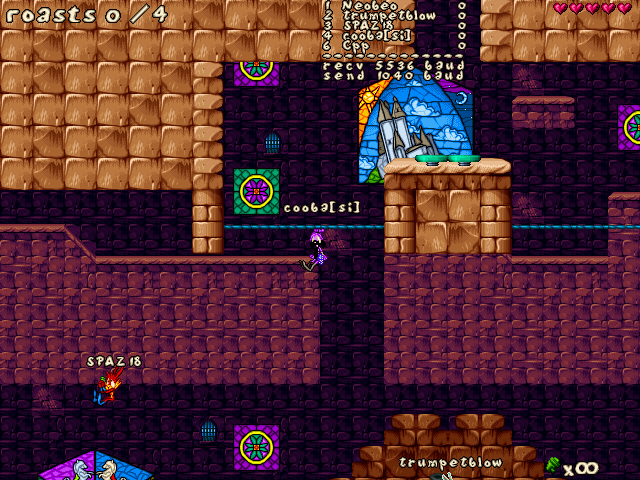 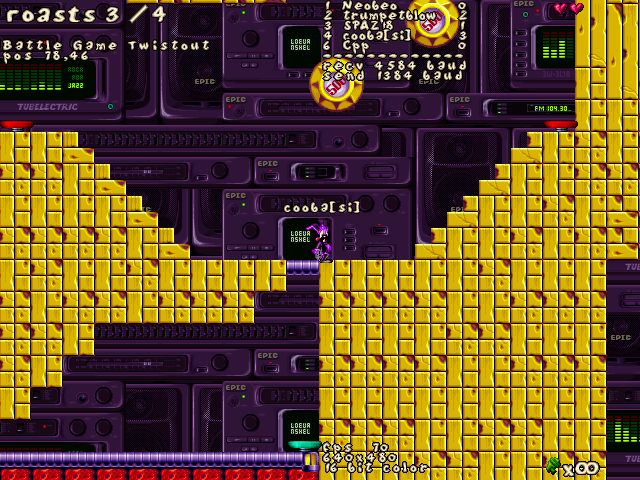 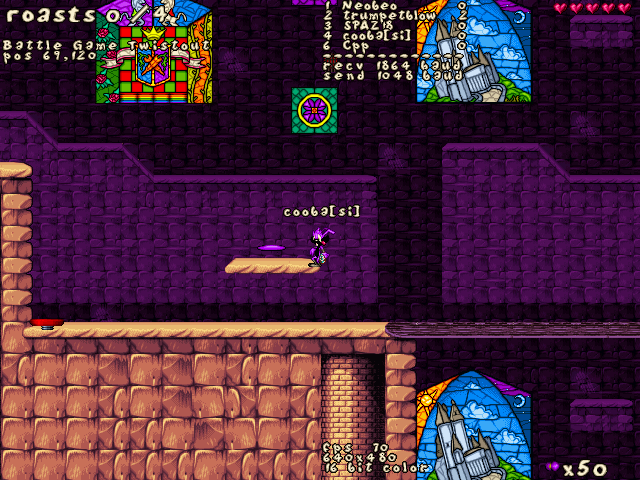 stop sucking up itt oh and i won in each level }> |
This level fills me with hate and arrgh. Good job.
|
You said it had something to do with my GFX :[
How did you all get that done, i can't open my screenies >_< |
This actually looks somewhat interesting.
|
How to do exactly what I did!
You may or may not be awed by this twisted concept for a level, but no doubt many of you are wondering how to replicate it. Ergo, I came up with this simple tutorial which also highlights the most crucial steps involved in such an attempt. Honestly, someone should go make an article out of this since I'm lazy, but here goes:
How to twist a level 11 simple steps
Like I mentioned earlier, this article is made with the objective of being both concise and definitive, yet also thorough and exhaustive. Nevertheless, I am sure many of you would be confused and run into problems at one step or another. If something doesn't work, 99% of the time you accidentally skipped or misinterpreted a step. The remaining 1% is when you intentionally skip a step or or only perform it partially. Just to be sure, I have also come up with this idiotproof visual aid to complement the tutorial: [IMG]http://img206.imageshack.us/img206/6766/tutorialtwistar8.png[/IMG] |
I would've thought you had done this through a custom JCS. When I saw this topic, I edited my JCS to allow the four edit boxes to always be available. I'm a little disappointed that making any changes to the x-speed or the others only affects how layer 4 is displayed, though I shouldn't be surprised.
|
Actually, many of the things that can be done with a custom JCS can also be done by modifying JCS, albeit not as efficiently.
|
And how do I center the scrollbars to an exact position, if they have to be exactly centered?
|
Hey, has anyone tested this on CTF levels? Specifically symmetrical ones. It's gotta be a trip running to the blue flag and picking up the red one.
|
Chemical Warfare Twistout!
|
I'm not sure how Neobeo's idea is supposed to work (assuming it actually works), but it's easier in the long run to just hex-edit your JCS, plus you get to edit the three other boxes. Just find each of these four lines seperately:
Code:
00 89 45 CC 8B 46 64 33 C9 83 F8 03 0F 95 C1 51 |
I'm guessing that JCS+ is able to edit all/some of the boxes.
|
JCS+ has no boxes. It runs on a new state-of-the-art telepathic user interface (TUI).
|
..values! I meant the values :(
|
Quote:
|
I know that in UltraEdit you can search for hex values fairly easily. Out of curiosity, what hex editor do you use? Anyway, the offsets: 0x14F80, 0x14F90, 0x14FB0, and 0x14FC0.
|
Quote:
Thanks anyway. |
| All times are GMT -8. The time now is 12:10 AM. |
Powered by vBulletin® Copyright ©2000 - 2026, Jelsoft Enterprises Ltd.
JCF © 2001-Infinity Jazz2Online